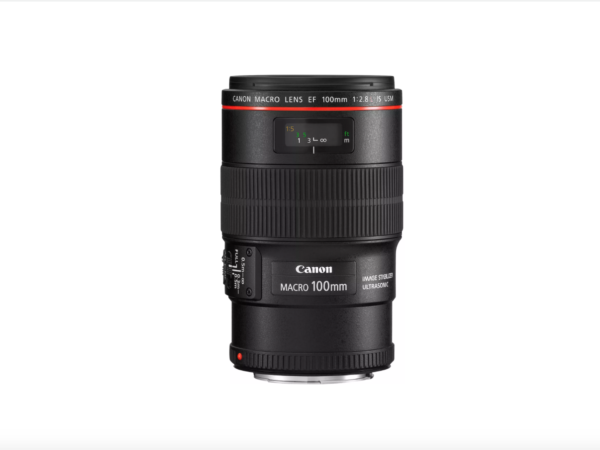
https://seattleindustry.org/manufacturing-growth/ This week Latest Sale explores the best lens for your product photography as part of the Business Directory. In product photography, you will need a lens that will give you high-quality sharp images, so check your camera has a long focal length, close-focusing capabilities, and good handling with the assistance of a manual focusing ring. We recommend the Canon 100mm f/2.8L macro lens and here are the reasons why. First, the focal length of this lens is excellent for product photography as it is long enough for flattering compression but short enough to be used easily in the studio. Second, it is one of Canon’s sharpest lenses, and the chromatic aberration is well-controlled meaning less colour fringing and higher image quality. Third, handling is very…
- https://seattleindustry.org/homeless/
Buy Valium 10 Mg Online Latest Sale is an award winning, multilingual knowledge based sales platform for Fine Art Jewellery and businesses within luxury creative services and hospitality industries. These Luxury creative services companies including technology creators, architects, interior designer, fashion brands, photographers, hospitality, travel and leisure brands and cultural institutions form part of Latest Sale Business Directory.
https://nelsonfenceco.com/gallery/

Archives
Three Ways to Achieve the Grainy Film Effect Latest Sale Week 03082020

This week Latest Sale explores three ways to achieve the grainy film effect in digital photography as part fo the Business Directory. Grainy low-resolution images or noisy shots can give your image a gritty and raw quality that creates a completely unique mood in your shots. The first way to achieve this look is by utilizing an editing tool such as the Adobe Photoshop application. Start by duplicating the background layer and renaming it to something memorable such as ‘Noise Effect’. At the top of the screen, click Filter > Noise > Add Noise. A box will pop up for you to adjust the noise intensity level. The second method to consider is by using the Adobe Camera Raw application. Within the application, click the…
Guide to Vintage Mobile Photography Editing Latest Sale Week 08062020

This week we cover the guide to vintage mobile photography editing for the Business Directory. We explore the various ways you can create your own vintage aesthetic using smartphones. The first tip to achieving the faded vintage look is by reducing the contrast of your photos or by simply reducing the image saturation. Apply some contrast or some red tint to make it pop a little. Add “fade” to your image which is an option in all photo editing apps. Fade will bring out some of the details in the foreground, and thereby make the images a bit flatter. Consider adding some blur to your photos and they will immediately look less perfect, which gives that vintage appearance. Another way to achieve this when shooting…
Best Cameras For Pro Fashion Photography Latest Sale Week 13042020
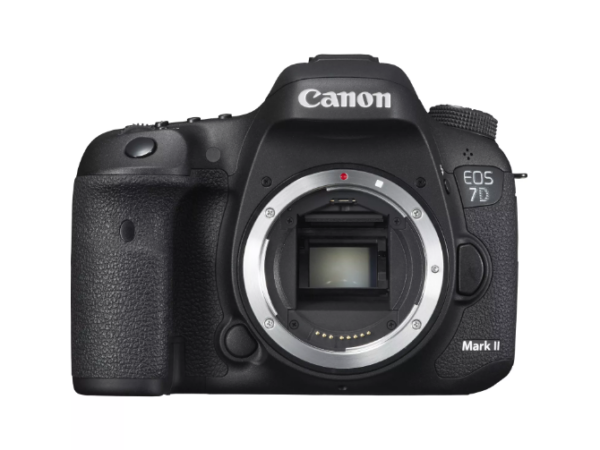
This week, Latest Sale explores one of the best cameras for pro fashion photography users as part of the Business Directory knowledge base. The Canon EOS 7D Mark II is the go-to choice for any professional fashion photographer. The camera produces high-quality imagery and excellent colour reproduction. This Canon camera model can reach a burst speed of 10 frames per second, making it possible to work with moving models during photo shoots or catwalk shows seamlessly. The strongest function of this device is the autofocus which can cover almost the entire frame. The optical viewfinder has plenty of shooting information and the camera has long battery life, perfect for a day-long photoshoot.
Photography Editing Software Adobe Lightroom Latest Sale Week 17022020

This week, Latest Sale shares the essential, professional photography editing software, Adobe Lightroom for the Business Directory. This editing software offers a simple and user friendly interface. Lightroom provides a guided walkthrough of each module the first time the user accesses the programme. Some of Lightroom’s fantastic features include fixing and blurring tools, presets, professional filters, and so much more. The left-hand panel provides users with quick access to image libraries. Within the right-hand panel, users will discover drop-down menus that facilitate swift adjustments, adding keywords to images and more. Adobe Lightroom is available on subscription for around $9.99 (£7.72) per month.
The Retro Photography Trend Latest Sale Week 23122019
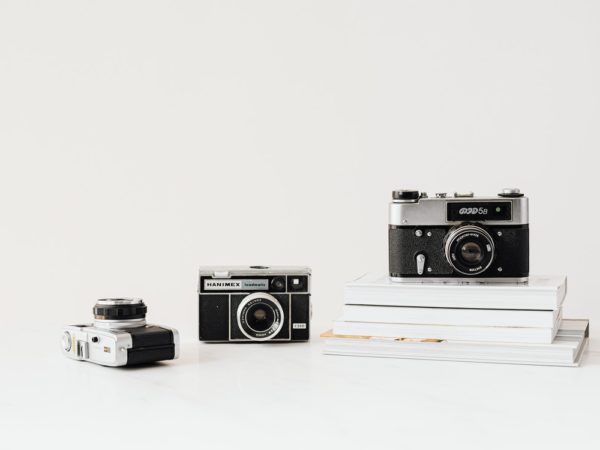
https://tridontdental.com/tooth-extractions/ This week we report from the Business Directory and highlight the retro photography trend; Out with the New, In with the Old. From advertisements to Instagram posts, retro-style images, that old-timey, filtered look has become increasingly popular and creates an interesting contrast of “modern” minimalistic styles. Retro-style photographs can be created by simply adding a black and white or sepia filter to a digital photograph, or by adding a series of filters to make its final appearance grainier. Another technique that is often adopted is the increased usage of polaroid cameras, which have become more accessible in recent years, albeit in contemporary designs and colours.
Equipment that Photography Businesses Need, Latest Sale Week 26102019
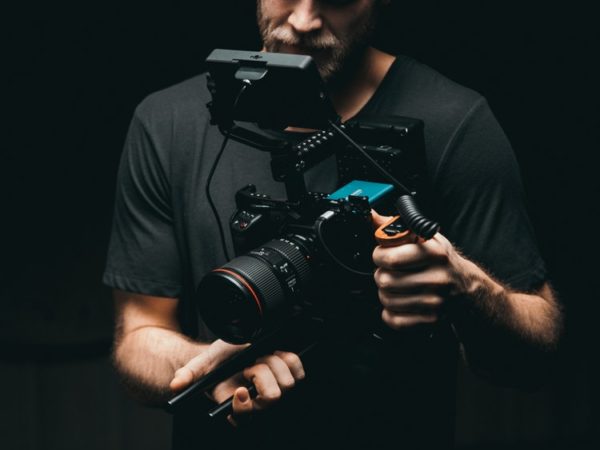
https://www.sharenergy.com.br/carreiras/ This week, Latest Sale looks at the equipment photography businesses need to succeed. We report from the Photography Business Directory. Professional photographers require various lenses, memory cards, tripods, and flashes to optimize the range of pictures they produce. Clients also need to be provided with backdrops and lighting to take themed photos. Photographers will often need to streamline their photography business by investing in premium-quality, advanced computer equipment and software. These include specialised photography software, photo printers, laser printers, bookkeeping software, and credit and various debit card payment options for customer purchases. Lastly, photography businesses will need to invest in company sales, branding, and marketing tools to promote their business and maximize their sales potential.
The Lux Kit is Nikon, Latest Sale Week 02092019
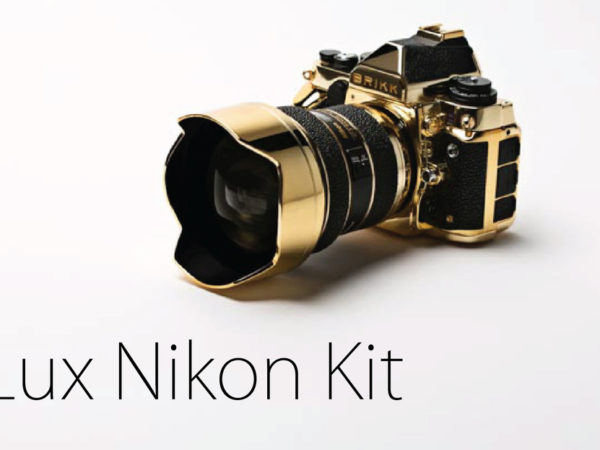
https://www.mattiapacorizzi.com/nidin-on-bund-magazine-shanghai-china/ This week Latest Sale covers the Lux Kit is Nikon for the Photography section of the Business Directory. Look no further for pure 24k gold multimedia accessories enjoyed by this product that enjoys the Lux Nikon IKKOR 14-24 F/2.8 lenses. With premium design features including stingray leather finishings. With a camera case also finished in 24k gold, enjoy the ultimate in protection with Nikon’s greatest treasure fully protected With forward thinking at the heart of the design, the Nikon DF camera comes fully equipped with rechargeable battery, quick charger and the relevant software. Teach Lux Nikon Kit is fully covered by a one year global warranty and can be purchased in the region of $57,995.00 Image courtesy of Brikk
How to use HD 360° Photography Latest Sale Week 08072019
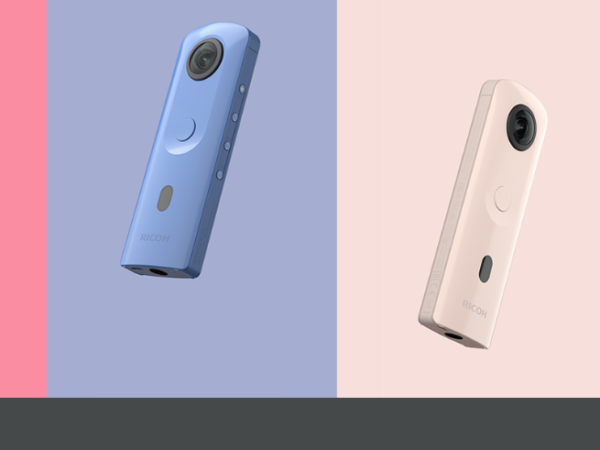
Buy Zopiclone 7.5 Mg Online This week the Latest Sale team reports from the Business Directory and discusses how to use HD 360° Photography. Becoming a virtual tour photographer can catapult your portfolio of work and bank balance to new heights. Commercial photographers can hone their skills and reach new markets including private property and real estate by adapting their skills to include 360° photography projects. A portfolio of properties or show homes promoted by estate agents or architects can open the door to bustling photographers seeking new ways to enhance their skills and gain some additional exciting commercial clients. 360° virtual tour cameras can become an interesting addition to your photographer’s camera tools and supplies. The Ricoh Theta spherical imaging device series offers an all-in-one application with 360° camera…
The Advantages of Phoneography, Latest Sale Week 13052019

https://twofunnelsaway.com/calendly/ This week, the Latest Sale team reports from the Photography Business Directory and highlights the advantages of phoneography, With multi use devices on the rise, even semi professional photographers are turning to their smartphones to captivate stunning memories. What turns a smartphone into a useful photographic device? The photographic lenses represent one of the most important functions of smartphones with macro, wide angle or telephoto lenses often offered as standard. Telephoto lenses enjoy cinematic credentials thanks to the long lenses feature enjoyed by these traditional cameras. Long focal length lenses can capture objects from long distances away from the source with brilliant accuracy. Although some professional photographers may always turn to traditional cameras for their daily workflow, multi use smartphones are an attractive option for…